
Orders on a name
Sometimes you want to put an order on a name, for example for a customer waiting at the bar, without creating a full customer with an email address and phone number. That’s what on name is for: 20Tabs creates a temporary customer that automatically disappears once the tab is closed.
Placing an order on a name
- Ring up the order as usual and tap Assign.
- Type the customer’s name in the search field.
- Not in the list? Tap On name “…”.
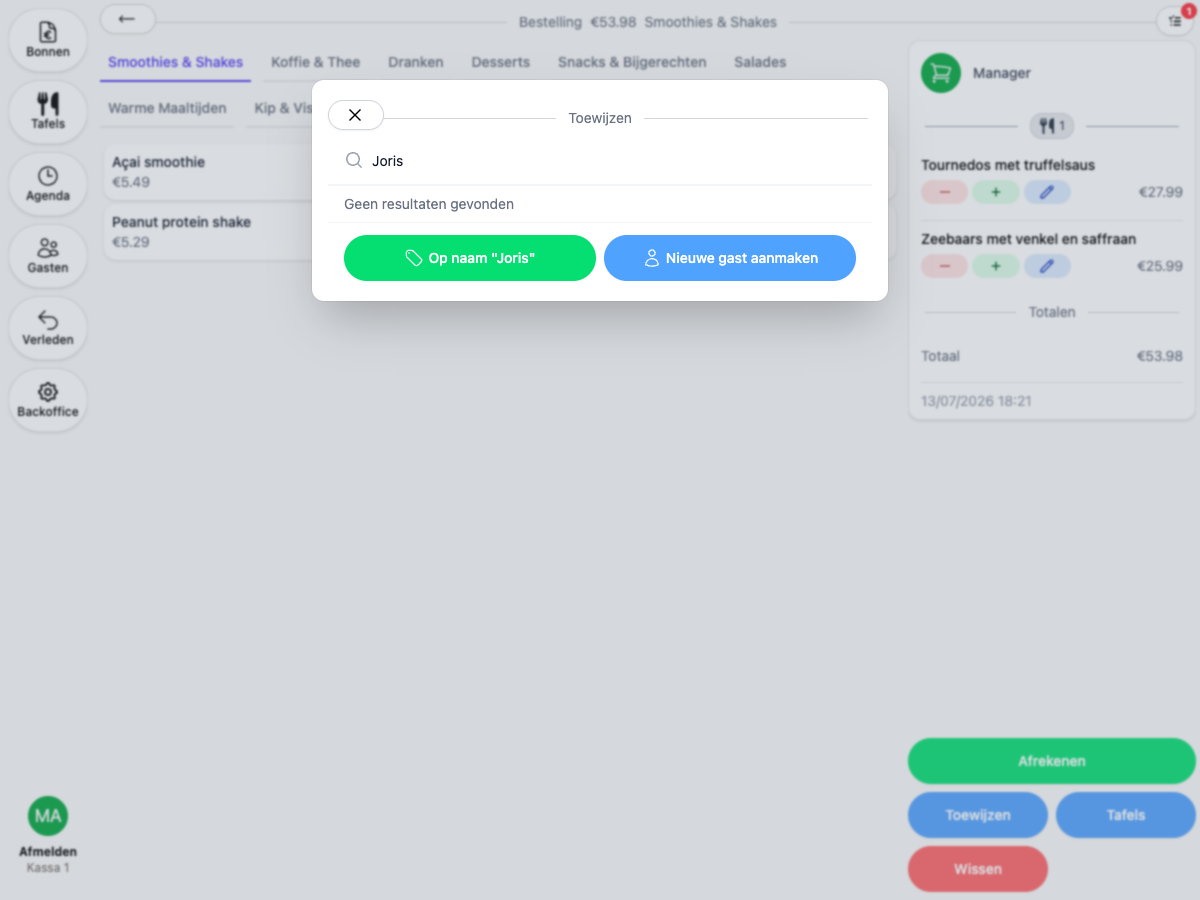
The order is placed on a new temporary customer right away. You can find the tab on the Receipts page afterwards, add more orders to it and settle it, just like with any other customer.
Prefer to create a full customer right away, with an email address and other details? Choose Create new customer in the same screen.
Recognizing temporary customers
A temporary customer is recognizable everywhere by the clock icon on the initials: in the customer list, when assigning and on the receipt itself.
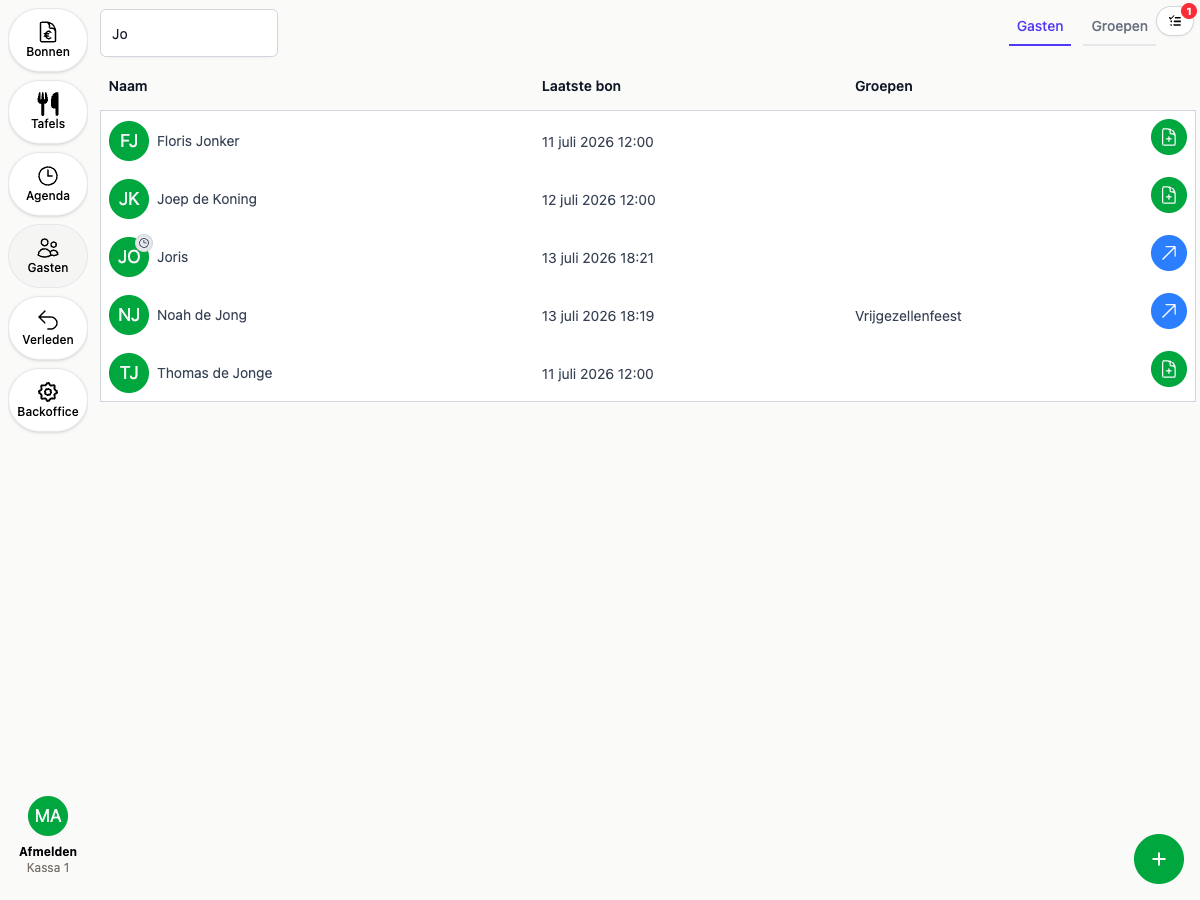
As long as the tab is open, you’ll find the temporary customer in the customer list and in the search screen. Once the tab is settled, the customer automatically disappears from all lists. The receipt and revenue are kept, of course.
Making a temporary customer permanent
Turns out the customer keeps coming back and you want to keep them? Open the customer page and tap Save in the yellow bar.
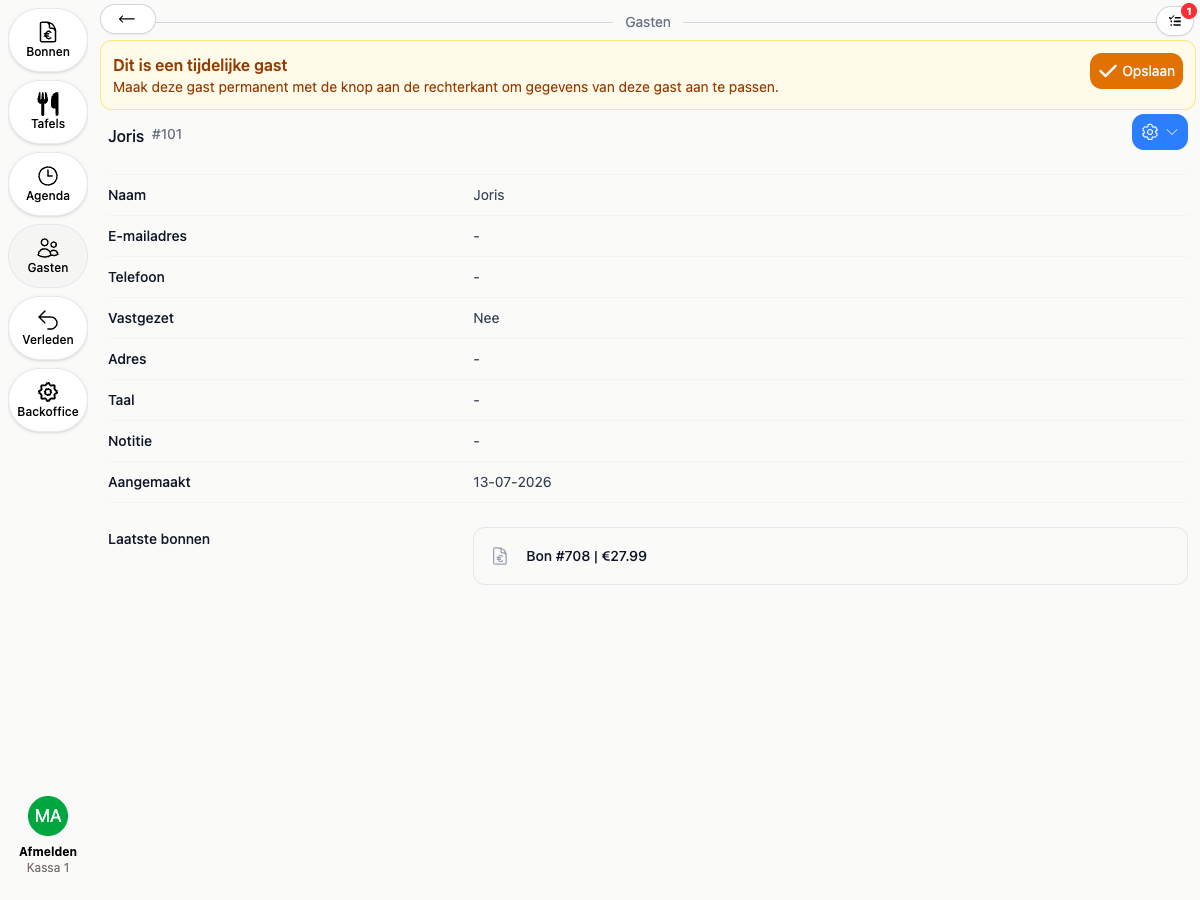
The customer then becomes a regular customer: from that moment you can fill in details such as an email address and phone number, link cards and set up discounts. See also Customer cards and Loyalty.
Does the customer already have a profile in 20Tabs? Use Merge into another customer in the menu on the customer page. The open tab moves to the existing customer and the temporary one is cleaned up.