For lunch cafes & bistros

Lunch cafe and bistro POS: a full house at one o'clock, no queue at the till

Ring up a lunch order with all its options in a few taps and take payment straight away. A till for your lunch cafe that runs on the iPad or tablet you already have, with no new hardware.

Try it free
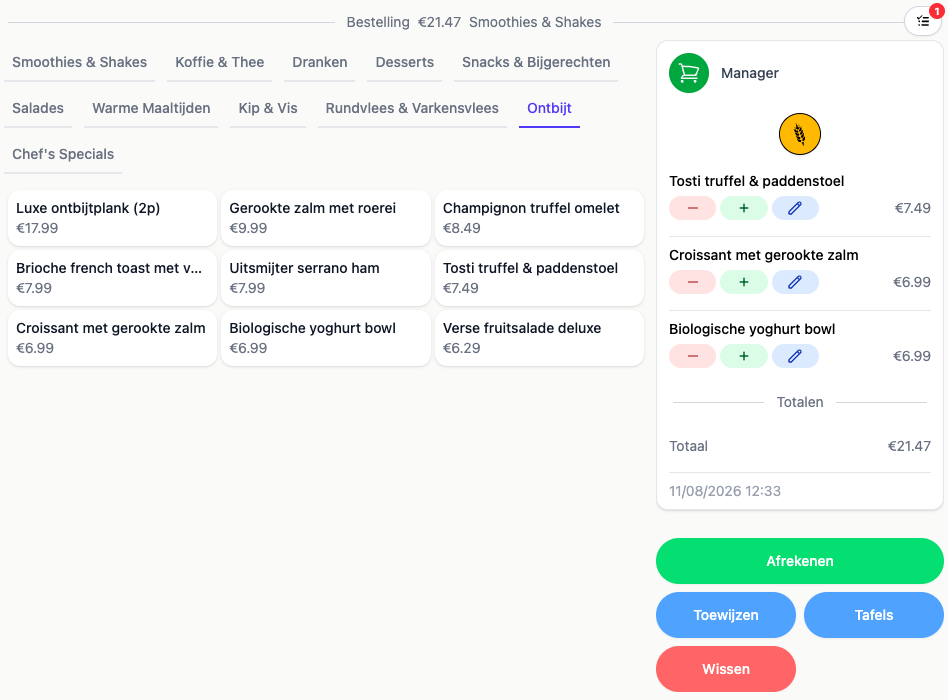
The till screen with the breakfast menu open and a running order beside it
Demo
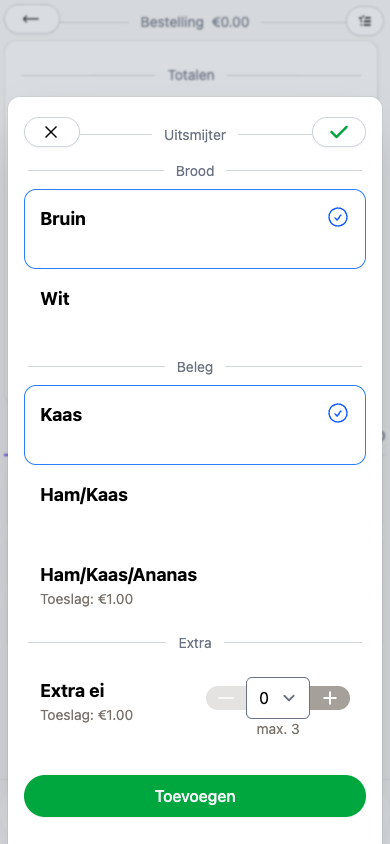
The options screen for a dish with a choice of bread, filling and an extra egg
Demo
Ease of use

White or brown, ham or cheese, in two taps

Between twelve and two you do not want to be thinking about your till. You ring in the dish, pick the options the guest asks for, and move on to the next order.

The guest's choice comes up on its own

You set out per dish what there is to choose from, say white or brown, which filling, and an extra egg on the side. That choice appears as a popup when you ring it in, so an elaborate order costs you no more time than a cup of coffee.

Your menu laid out the way you want it

Breakfast, salads, smoothies and hot dishes are yours to group into pages and categories. Whatever sells hardest in the lunch rush goes up front, and you change that from your phone while the place carries on around you.

The last quiche comes off by itself

In the morning you enter how many you have got. 20Tabs counts down with every order, and at zero the button flips to sold out on every device at once. Nobody sells something the kitchen no longer has.

How to set up options and add-ons
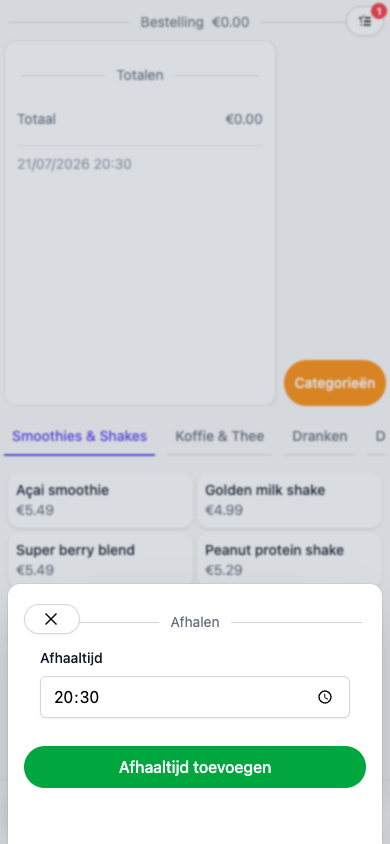
The takeaway screen where a pickup time is added to the order
Demo
Takeaway

Takeaway orders run alongside, with no second till

Sandwiches for the office down the road, a lunch being collected at half twelve. You ring the takeaway in on the same till as your tables, with the pickup time attached.

The pickup time goes through to the kitchen

You put the requested time on the order, so the kitchen knows when it has to be ready instead of starting the moment it comes in.

Takeaway and tables in one overview

A takeaway order sits alongside your regular ones. No separate takeaway screen and no second system to add up at the end of the day.

It all adds up at the end

Your takeaway revenue comes back in your daily close and in your reports, next to what your tables took. So you can see what takeaway is really worth to you per week.

How to turn takeaway on
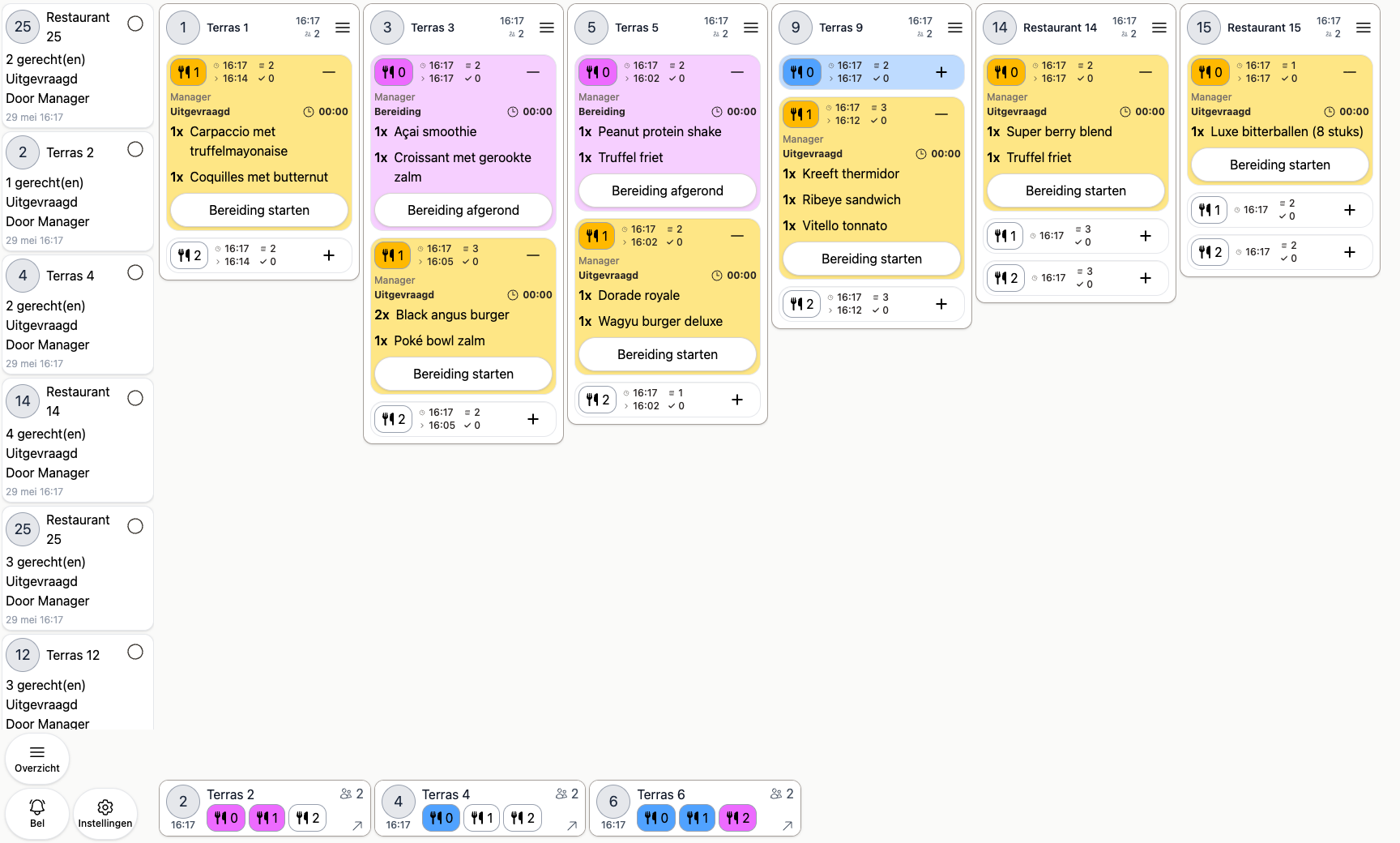
The kitchen screen with the orders being prepared right now
Demo

Why lunch cafes and bistros choose 20Tabs

Straight to the kitchen and the bar

What you ring in appears on the kitchen screen or rolls out of the receipt printer, and the drinks show up behind the bar. No slips being passed along and no double work between the floor and the kitchen.

Nothing to invest up front

Runs on the iPad, tablet or phone you already have. You can take card payments with Tap to Pay on that same device, so there is no separate terminal to buy before you can start. Would you rather buy your hardware from us? See what we recommend.

Table map on or off, whatever you need

Eight tables and a counter work fine with a simple list. With a big terrace you switch on a table map with your own floor plan. You take only the part that suits your place.

No charge per screen or card reader

Add a second device at the weekend without your subscription going up. You pay based on your revenue, with no setup fees, and you can cancel monthly.

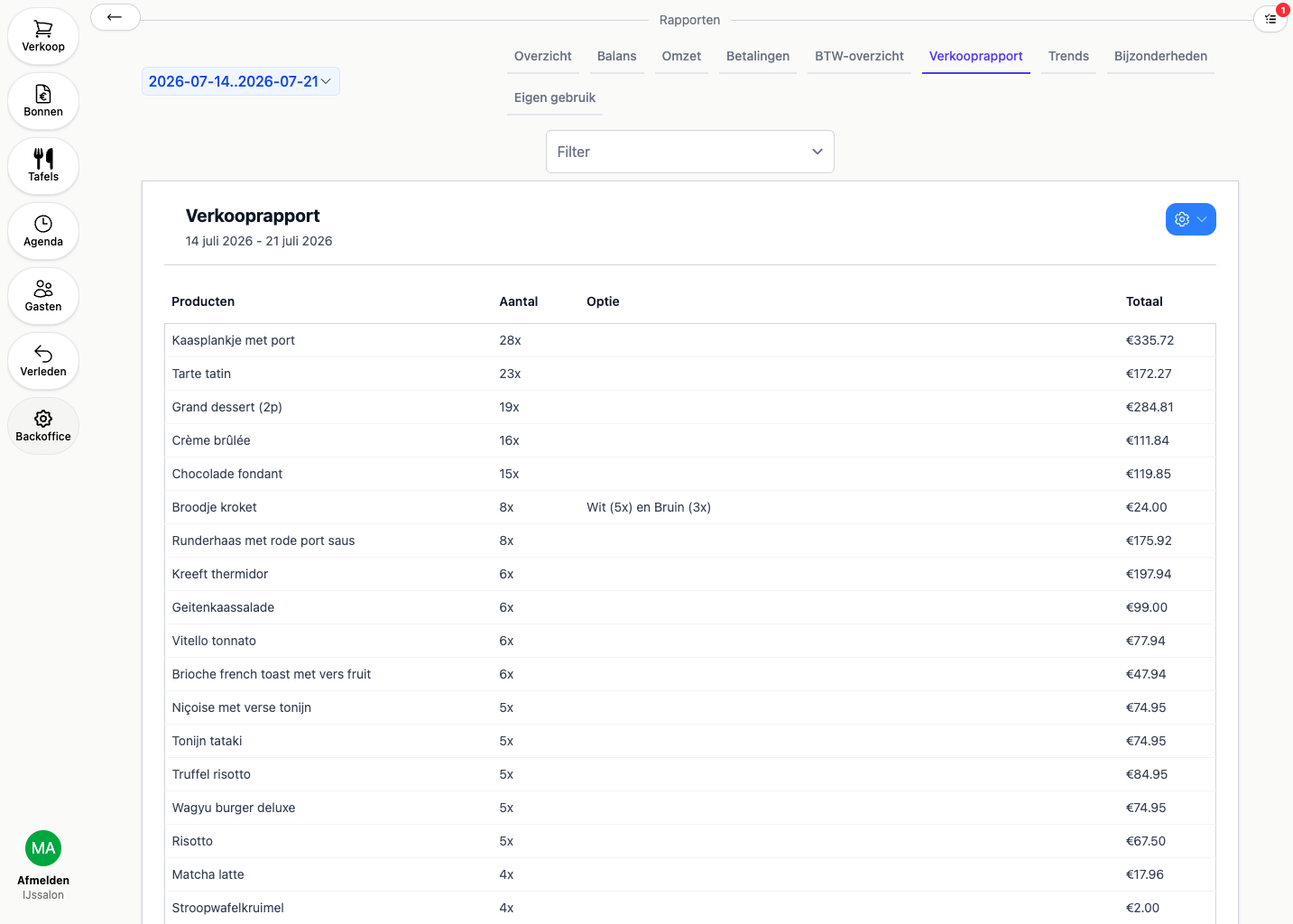
A sales report showing the quantity and the chosen options per product
Demo

What makes a POS system for a lunch cafe genuinely good?

A lunch cafe is not busy all day, it is busy in short bursts: lunch between twelve and two, sometimes breakfast around ten or an afternoon tea later on. In that one busy hour you want an order finished in a few taps, however particular the guest is. A good lunch cafe POS therefore has a main screen you lay out yourself around the dishes of that moment, and lets you pick options like bread, filling and extras as a popup while you ring it in. No hunting through menus while the queue grows.

Where 20Tabs stands apart is that an order lands in the right place immediately. What you ring in appears on the kitchen screen or rolls out of the receipt printer, and the drinks arrive behind the bar. No slips going back and forth, no double work between the floor and the kitchen. And whether you use one device or set three side by side, everyone is working on the same up-to-date order.

Takeaway is simply part of the day for most lunch cafes, and that is exactly where a lot of tills come unstuck. In 20Tabs you ring a takeaway order in on the same till as your tables and attach a pickup time, so the kitchen knows when it has to be ready. You keep one overview and one daily close, instead of a separate takeaway system you have to add to your till revenue by hand at the end of the day.

Fair pricing counts double for a lunch cafe, because the margins are thin and every euro of till costs shows. POS software for your lunch cafe does not have to be a large investment: 20Tabs runs on the iPad, tablet or phone you already have, so there is no fixed hardware to buy. From €25 a month, with no setup fees and no charge per screen or connected card reader. In your reports you then see not only what sold, but which options your guests picked, right down to white or brown bread.
Frequently asked questions about a POS system for lunch cafes

What is a good POS system for a lunch cafe?

A good lunch cafe till is above all fast: favourites on the main screen, options and add-ons you pick as a popup while ringing an order in, and a menu you change from your phone in seconds. Orders go straight to the kitchen and the bar. You do not need fixed POS hardware, an iPad till will do.

How do I ring in an order with options or extras?

You set the options and add-ons per product yourself, for example white or brown bread, an extra topping, or a choice to leave something out. They appear as a popup when you ring the order in, so even a very specific lunch order is done in a few taps. The order then lands complete on the kitchen screen or the ticket.

Can I ring takeaway orders in on the same till?

Yes. You switch takeaway on and ring those orders in alongside your regular ones, with a pickup time attached so the kitchen knows when it has to be ready. It all sits in the same overview and comes back in the same daily close, so you do not need a separate system for takeaway.

What does a POS system for a lunch cafe or bistro cost?

Between €100 and €500 a month for a complete lunch cafe till, based on your revenue. No setup fees, no charge per screen or connected card reader, cancel monthly. You can start from €25 a month with 20Tabs Go (plus 2% of revenue).

Does my bistro need table management?

Not necessarily, but it is there if you want it. You switch table management on or off and take only what you need. A small lunch cafe with eight tables works perfectly well with a simple list, while a bistro with a large terrace would rather have a floor plan.

Further reading

Ready to get started?

are a great day to get started with 20Tabs

Every feature is unlocked from day one. No contracts to sign, no haggling, no sales calls. Just software that works and that you can set up yourself. Curious how quickly we reply? Hit the chat button in the corner and see for yourself.

Try it free

Spin up a full account in minutes, with every feature unlocked.

Up and running in an hour

Process your first order within the hour. Our quick-start guide walks you through every step.

Try for free