For cafes & bars

Cafe and bar POS: a full pub without the till getting in the way

An iPad till for your bar that keeps the drinks flowing: rounds, shared bills, happy hours and self-service. Without your staff getting stuck at the screen.

Try it free
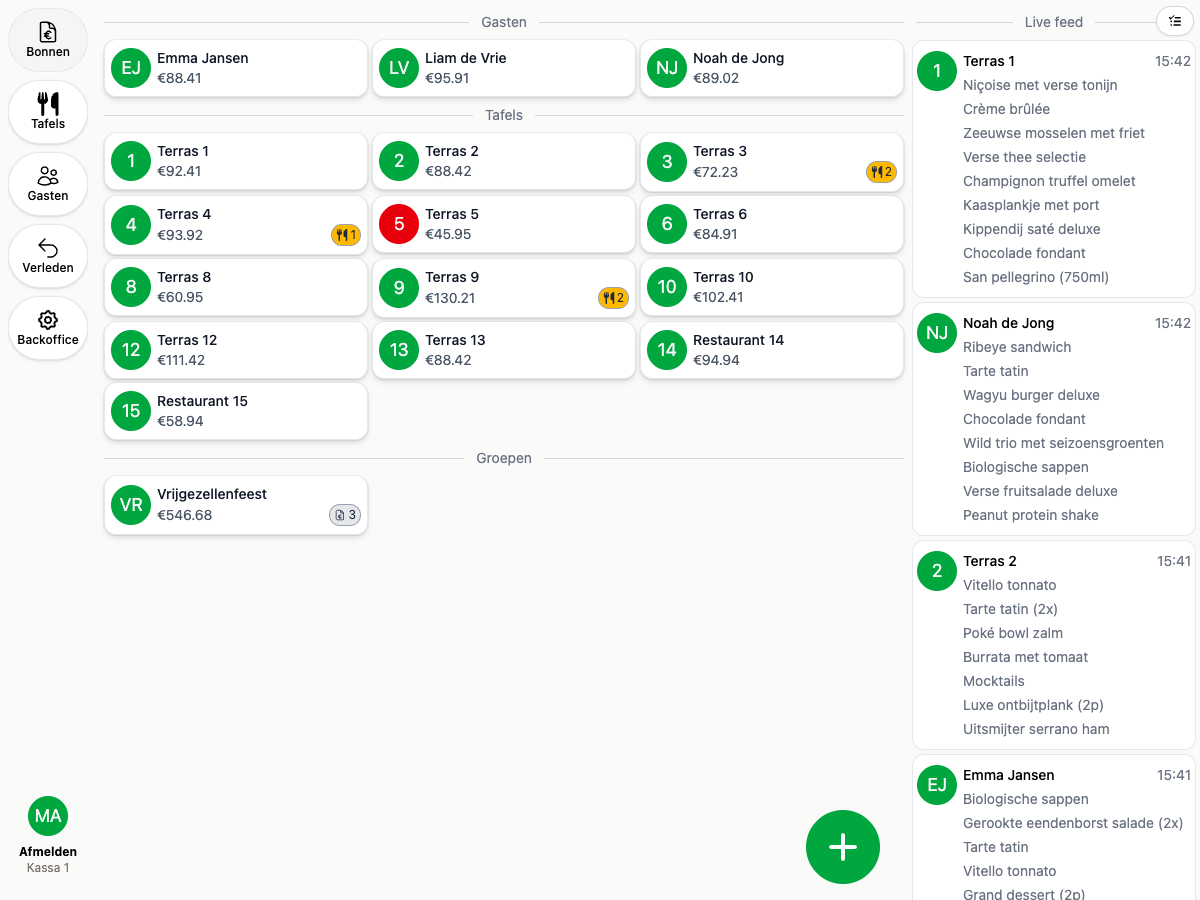
20Tabs bill overview
Demo
Demo
Ease of use

A new round is on the bill in seconds

Behind the bar every second counts. Your staff ring the round in, take payment straight away or leave the tab running, and are back at the taps. Even a mixed drink is a single button.

Buttons where you want them

You lay out your own main screen around the favourites of that night. Lager and house wine up front, the rest a page further on. A new button or a different price is yours to change from behind the bar, and it is live on every device straight away.

Mixed drinks ring up easily

You tap the spirit and pick the mixer. Two lines land on the bill, each under its own VAT rate, so you do not hand over too much tax on the soft drink half. You set that up once.

A stand-in works their first shift

Anyone who can use a phone can use this. No course beforehand and no crib sheet next to the till, not even on a busy Friday night.

How to set up mixed drinks
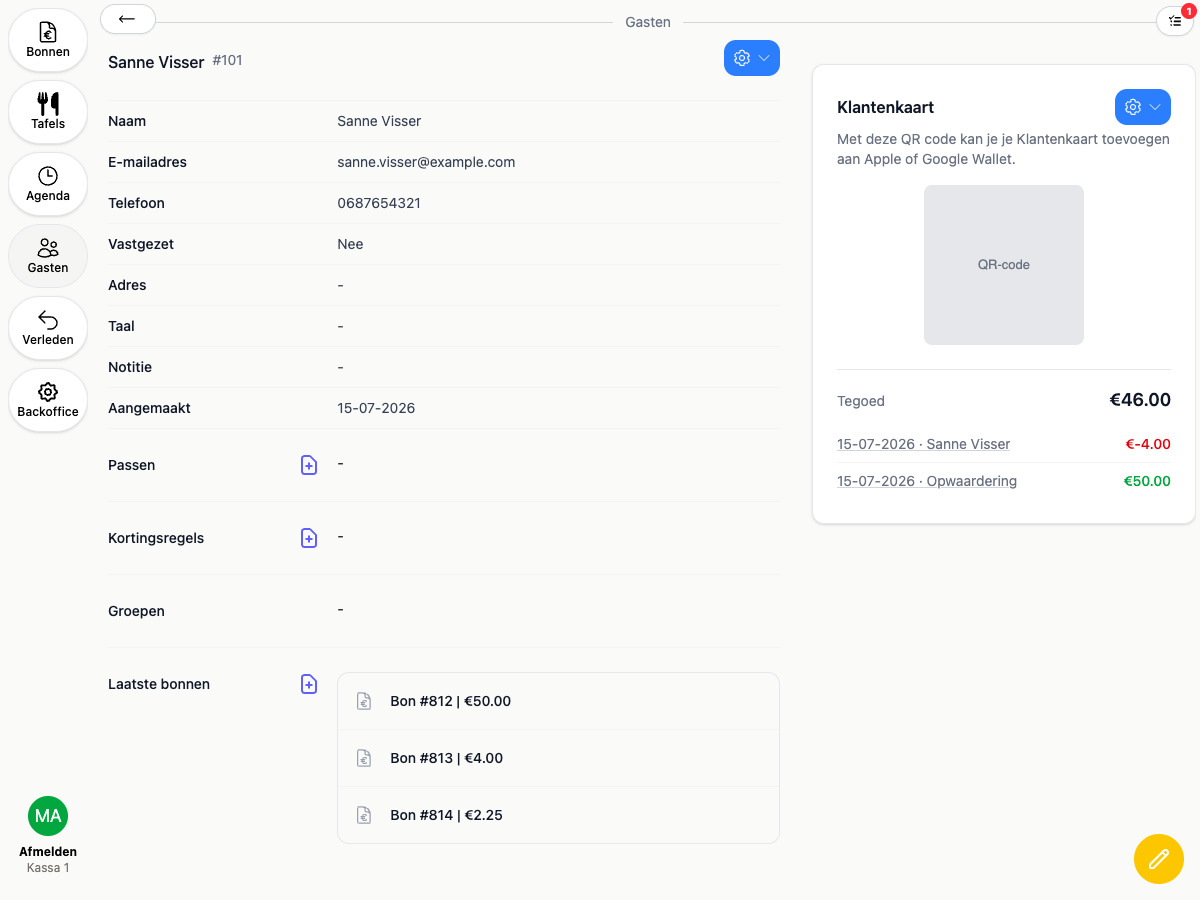
A guest card showing a regular's credit and their most recent bills
Demo
Tab system

Regulars settle up when it suits them

A tab that runs all evening, or a customer card with credit on it. Your regulars do not have to reach for their bank card every round.

Customer card in Apple or Google Wallet

Your guest scans a QR and has the card on their phone. Behind the bar you scan it and the tab is open.

Top up credit and draw it down

Working with a punch card or credit paid up front? You top it up at the bar and every round comes off automatically.

You can see what is still open

Per guest you see the credit and the most recent bills, so at the end of the night you know exactly who still has to settle up.

More about loyalty & customer cards
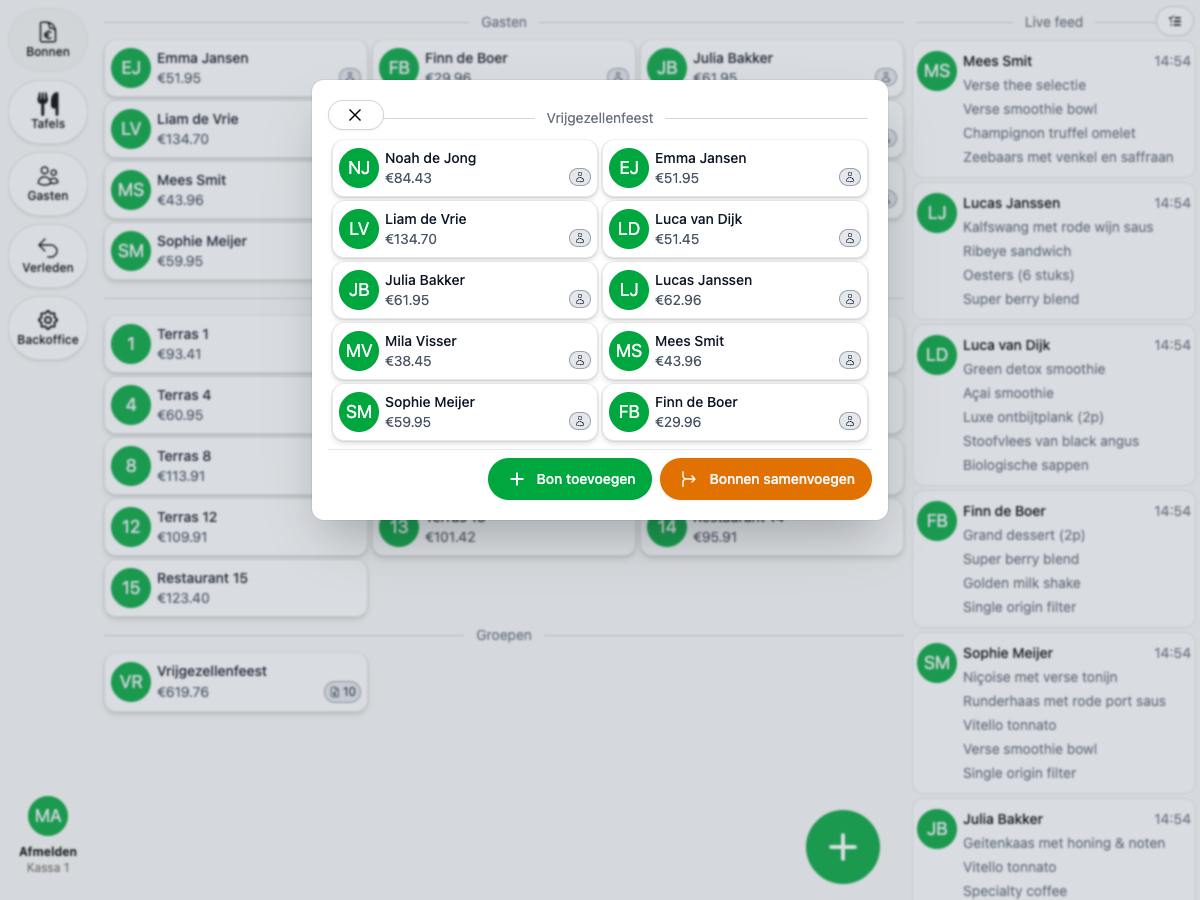
20Tabs handles the bill for a large group with ease
Demo

Why pubs choose 20Tabs

Runs on the devices you want

Download 20Tabs from the App Store or Play Store and run it on almost any device. Use the iPad or tablet you already have, or pick the hardware that suits your bar. No mandatory terminals and no lock-in, you decide what you run on.

Rounds and bills in one tap

Open a tab by name, table or group. Split bills without the faff and repeat a round with one tap. Your staff stay at the taps, not at the screen. That is the speed a good cafe till gives you.

Take payment straight away, with no charge for connecting your card reader

A quick one-off sale or a tab that runs all evening, you choose per order. And unlike many tills: no fee per connected card reader.

A full bar, few staff

Craft beer bar De Vluchte serves 200 guests with two people behind the bar. A tab system and self-service are what make that possible. See how they do it.

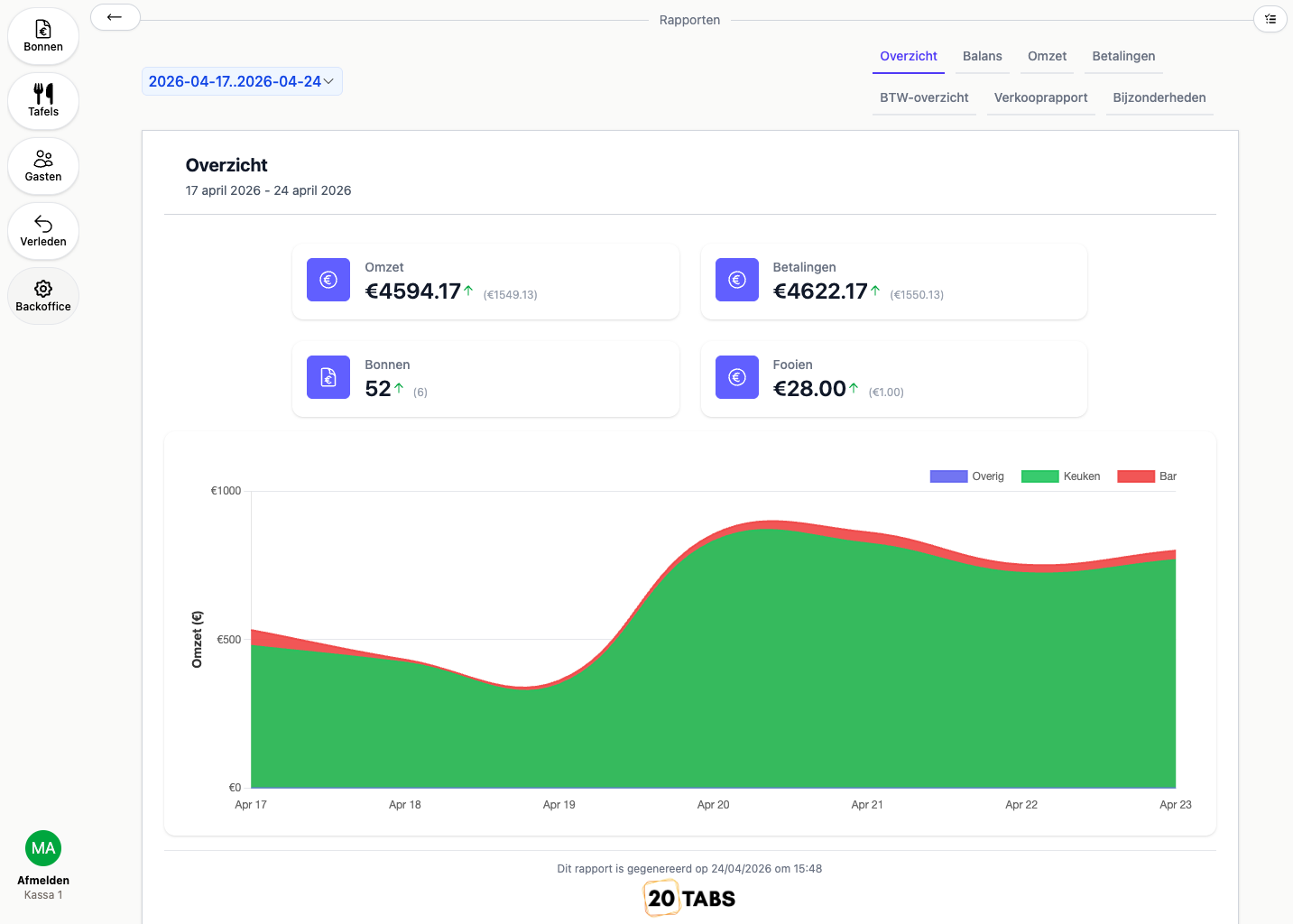
The revenue overview with figures per day, split between bar and kitchen
Demo

What makes a POS system for a cafe or bar genuinely good?

In a pub, speed is what matters most. The difference between a good night and a bad one sits in the seconds per round: the sooner a round of six beers is on the bill and paid for, the shorter the queue and the more you take. A good cafe till therefore has a main screen you lay out around the favourites of that night, and lets you repeat a round with one tap. No hunting through menus during the rush.

Where 20Tabs stands apart is how it handles groups and open tabs. Student nights, Friday drinks and long-standing regulars all run more smoothly with a tab system and a bill that stays open all evening. 20Tabs supports punch cards and shared tabs by name, table or group. At the end you settle the whole table with one tap, or you split the bill and email everyone their own payment link. For a group or a business customer you send a single invoice instead, with the spend broken out neatly per person. And whatever you would rather sell outright, you ring up as a one-off on the same device.

What a good bar till also takes off your hands is the manual work around prices and discounts. With happy hours you set time blocks with automatic discounts, so you are not adjusting prices during your busiest hour. It runs itself, and your takings for the night add up at the end without recalculating.

And at the end of the week you want to see what actually happened. Which night performs best, how much goes over the bar and how much through the kitchen, which beer you need to reorder: that is what your reports tell you. With 20Tabs that is in every subscription, so you steer on numbers instead of on gut feel.

Frequently asked questions about a POS system for cafes and bars

What does a hospitality till for a cafe or bar need to do?

Speed above all: repeat rounds with one tap, split bills and automatic happy hours, with as few buttons as possible. You want to choose between taking payment straight away and a tab that runs all evening. For busy nights, a tab system for paying afterwards and self-service through a kiosk both help. A table map with eighty slots is the one thing a pub does not need.

What does a hospitality till for a cafe cost?

Between €100 and €500 a month for a complete till for your cafe or pub, based on your revenue. No charge per connected card reader, no setup fees, cancel monthly. You can start from €25 a month with 20Tabs Go (plus 2% of revenue).

Can I use 20Tabs on my own iPad or phone?

Yes. You download 20Tabs from the App Store or Play Store and run it on almost any device: an iPad, an Android tablet or your phone behind the bar. No mandatory terminals and no expensive hardware to get going. Still want professional POS hardware? Then we will quote for it.

Does 20Tabs work with a tab system for regulars?

Yes. You work with loyalty cards and open tabs by name, table or group, so regulars, student nights and Friday drinks all settle up afterwards. At the end you settle the whole bill with one tap, split it with a payment link by email, or send a single invoice with the spend broken out per person.

Does the bar till work offline too?

20Tabs works over the internet, so a connection is needed. Which one does not matter: if your wifi drops, you carry on over 4G or 5G. In practice you are not left standing still when something happens to your internet.

Further reading

See happy hours, loyalty & customer cards and the self-service kiosk. Also running a brewery or a restaurant? Then look at the POS for breweries, the POS for restaurants or the wine bar till.

Ready to get started?

are a great day to get started with 20Tabs

Every feature is unlocked from day one. No contracts to sign, no haggling, no sales calls. Just software that works and that you can set up yourself. Curious how quickly we reply? Hit the chat button in the corner and see for yourself.

Try it free

Spin up a full account in minutes, with every feature unlocked.

Up and running in an hour

Process your first order within the hour. Our quick-start guide walks you through every step.

Try for free