For campsites & holiday parks

A POS system for your campsite and holiday park: reception, restaurant and snack bar in one

One system for your whole park: every outlet works on its own with its own till screens, while you as the manager see the revenue per outlet and for the whole park in a single overview. No separate tills to add up afterwards.

Try it free
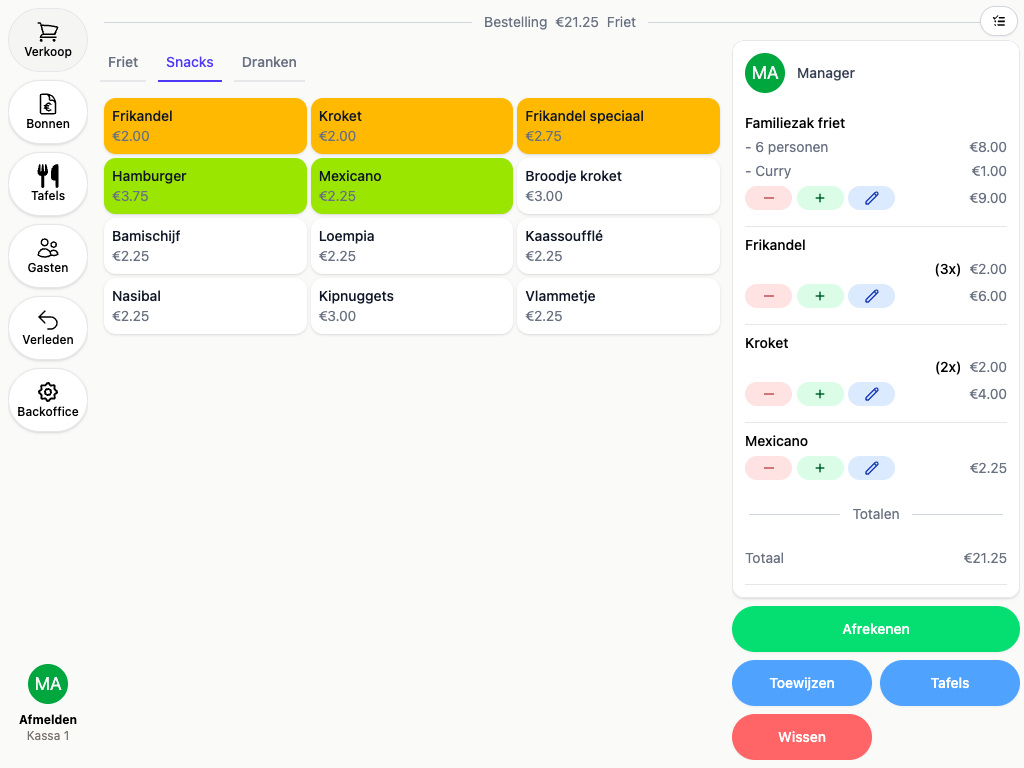
The snack bar till screen on the park with an order in progress
Demo
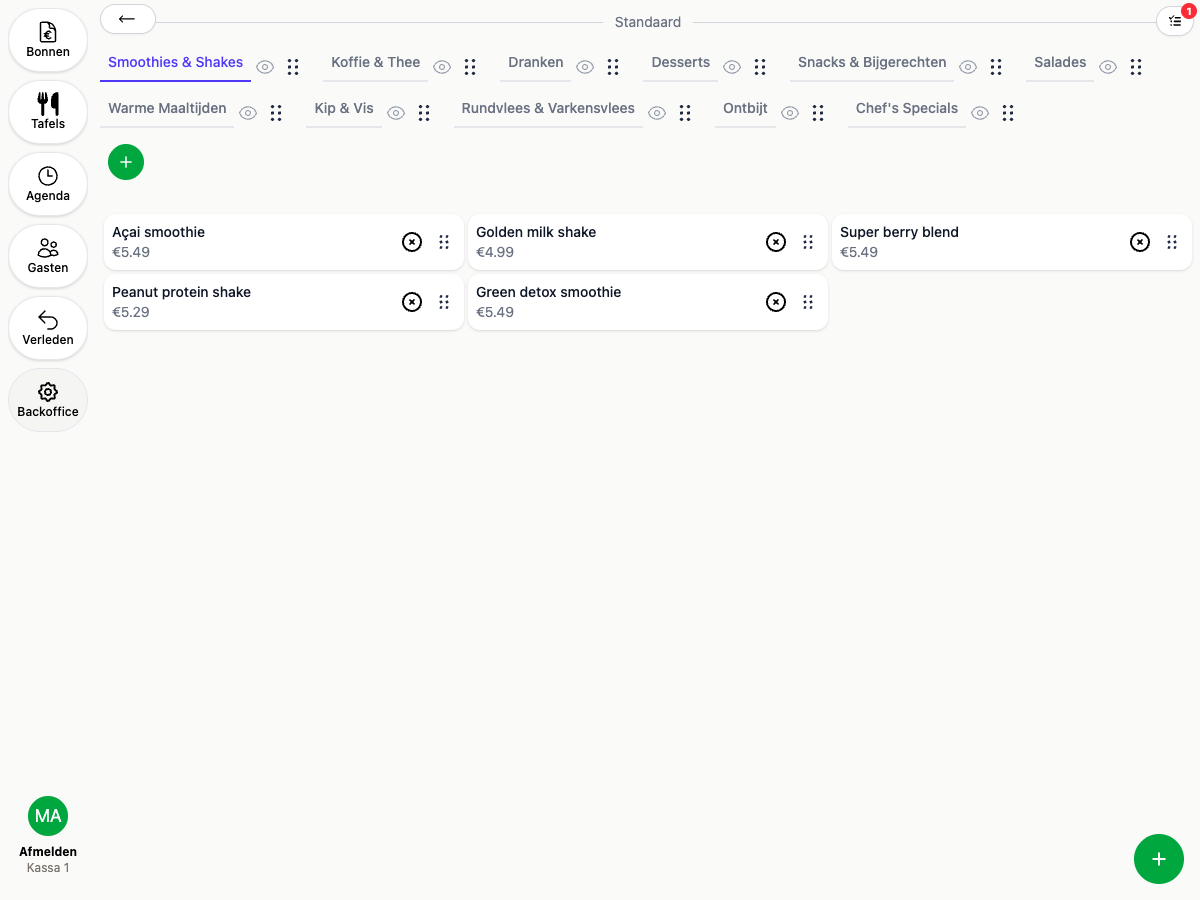
Laying out an outlet's buttons into categories
Demo
Several outlets

Every outlet its own screen, one park underneath

The snack bar by the pool has a different menu than the restaurant on the square. You set up what is sold at each place, without ending up with four separate tills.

The snack bar sees snacks, the restaurant sees the menu

Your staff member by the pool does not have to scroll through a full restaurant menu. Every outlet gets the buttons that belong there, while everyone works the same way.

One price, right everywhere at once

All outlets work from the same product database. Change the price of an ice cream and it is immediately right at the snack bar, in the shop and on the terrace.

Every order to the right kitchen

The fryer by the pool and the restaurant kitchen are separate prep locations. What you ring in rolls out of the printer or appears on the screen of the place that has to make it, even when it was rung in somewhere else.

An extra outlet costs no subscription

In July, put an extra screen by the playground or a second till in the shop. Devices and outlets are unlimited in your subscription, so scaling up costs nothing.

How to set up an outlet
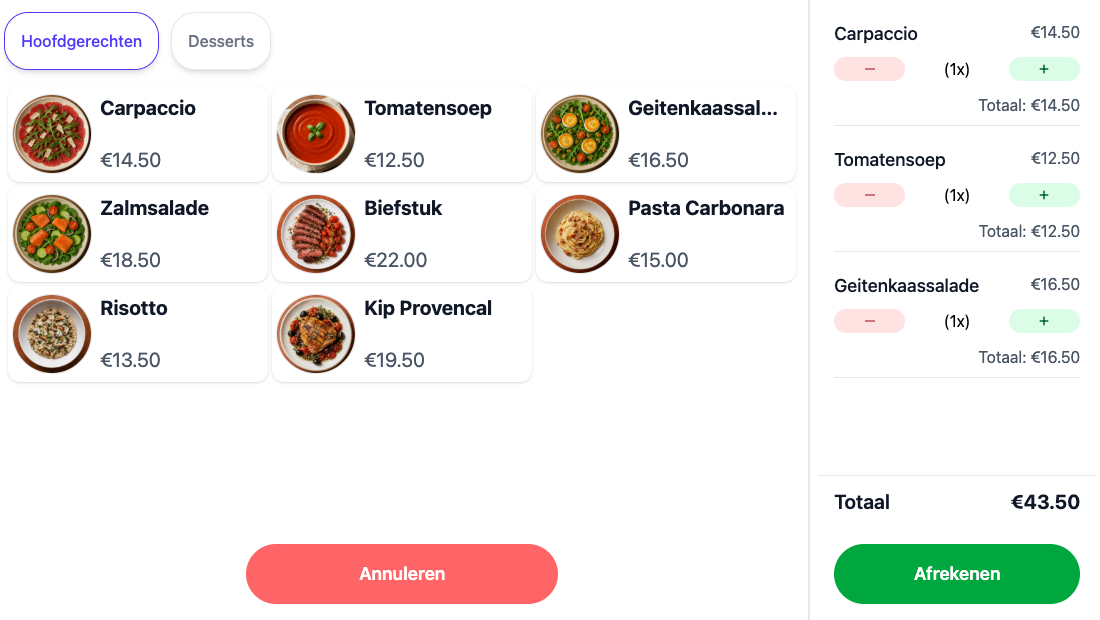
A self-ordering screen with photos on the products and the order beside it
Demo
Self-ordering

An extra till that costs no staff

On a hot day the queue at the snack bar runs back to the pool. Put a self-ordering screen next to it and your guests order and pay themselves, while your staff carry on cooking.

Guests order and pay themselves

With photos on the products the screen explains itself, including to a guest standing at it for the first time. After an order it returns to the start screen on its own.

The receipt goes with them on their phone

After paying, a QR code appears for the guest to download their receipt. So there are no slips to hand out at a screen with nobody behind it.

The same menu as your other tills

The screen works from the same product database, so a price you change is right on it straight away. The revenue counts in your per-outlet overview like anything else.

More about the self-service kiosk
Demo
Overview

See what is happening on your park, as it happens

You are not walking past four points of sale every day. In one screen you see the open bills and what is coming in, from the snack bar to the restaurant.

Everything sold, in view straight away

An order at the snack bar appears in your overview at the same moment. You do not have to wait for an end-of-day close to know how the day is going.

Per outlet and for the whole park

You see the revenue per point of sale side by side with the total underneath. No separate tills to add up at the end of the day.

From your own phone too

Whether you are at the other end of the park or at home, you simply look in on your phone. You do not have to walk to reception to see how busy it is.

More about real-time insight
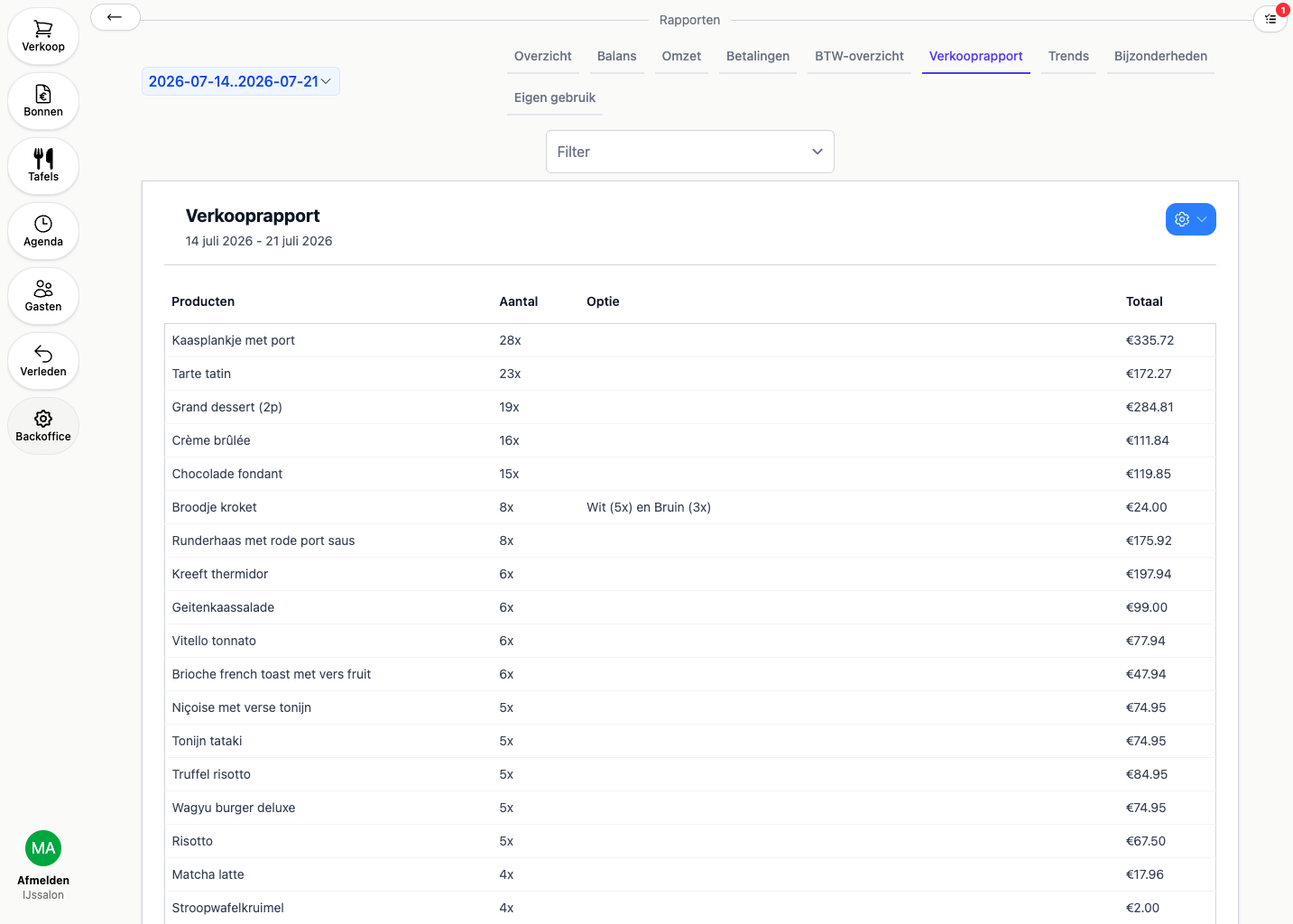
A sales report showing the quantity per product over the whole period
Demo

Why campsites and holiday parks choose 20Tabs

Take payment where the guest is

A park is spread out. Your staff also take payment by the pool, on the terrace or out on the field, on a device in hand, rather than at a fixed till the guest has to walk to.

Scale with your season

In July you are full, in November everything is shut. Your rate follows your average revenue over the last three months, so in low season it comes down by itself.

Know what to order in

You see per product what sold across the whole park, and per outlet where it came from. That saves guessing when you buy in for a busy weekend.

How Camping dal van de Mosbeek does it

A campsite running its hospitality on 20Tabs. See how they go about it.

Demo

A till for holiday parks: what is different from an ordinary POS system

A campsite or holiday park is not a business with one counter. You have a snack bar by the pool, a restaurant on the square, a shop by reception and in summer perhaps an ice cream kiosk by the playground. Every place has its own staffing, its own way of taking payment and its own revenue to keep an eye on. At the same time, as a manager you do not want four separate tills to add up at the end of the day.

So a good till for a holiday park lets those outlets work independently, but under one roof. Your snack bar staff see only the snack bar buttons and do not have to scroll through the whole restaurant menu, while at park level you have the reports per outlet and for the whole park in one overview. Because all outlets work from the same product database, you set a price or a product up once and it is right everywhere it is sold.

On a spread-out park, where you can take payment counts too. Your staff stand with a device by the pool, on the terrace or out on the field, rather than at a fixed till the guest has to walk to. If you want to keep the queue at the snack bar shorter on a hot day, you put a self-ordering screen next to it and guests order themselves.

For a seasonal site it also helps that all devices and outlets are unlimited in your subscription: in high season you add what you need, in the quiet months you scale back, cancel monthly. See how Camping dal van de Mosbeek uses 20Tabs.

Frequently asked questions about a POS system for campsites

What is a good POS system for a campsite?

A good till for a holiday park handles several outlets, such as a snack bar, restaurant, shop and reception, with clear reports per outlet and for the whole park. And it works on mobile devices, so your staff can take payment anywhere on the park rather than only at a fixed till.

Can each point of sale have its own menu?

Yes. You set up per outlet which buttons appear on the screen there, so the snack bar sees snacks and the restaurant sees the menu. All outlets do work from the same product database, so a price change is right everywhere at once.

Can I run a campsite seasonally on 20Tabs?

Yes. All devices and outlets are unlimited in your subscription, so in high season you add what you need and in the quiet months you scale back. 20Tabs can be cancelled monthly.

What does a POS system for a holiday park cost?

There are two subscriptions, both with unlimited devices and outlets for the whole park. The fixed subscription is an amount based on your monthly revenue, from €100 to €500 a month; your band follows your average revenue over the last 3 months, so in low season your rate comes down with it. Or you pick 20Tabs Go: €25 a month plus 2% of your revenue. No setup fees and no charge per device.

Further reading

See reports, the self-service kiosk and integrations. Other outlets on your park? Look at the POS for restaurants, for snack bars and chip shops or for your ice cream parlour.

Ready to get started?

are a great day to get started with 20Tabs

Every feature is unlocked from day one. No contracts to sign, no haggling, no sales calls. Just software that works and that you can set up yourself. Curious how quickly we reply? Hit the chat button in the corner and see for yourself.

Try it free

Spin up a full account in minutes, with every feature unlocked.

Up and running in an hour

Process your first order within the hour. Our quick-start guide walks you through every step.

Try for free