For restaurants

The POS for your restaurant that keeps you on top of your busiest night

A restaurant till that moves with you. Whether it is a quiet lunch or a fully booked Saturday with a queue at the door, 20Tabs keeps your tables, your kitchen and your revenue in one view.

Try it free
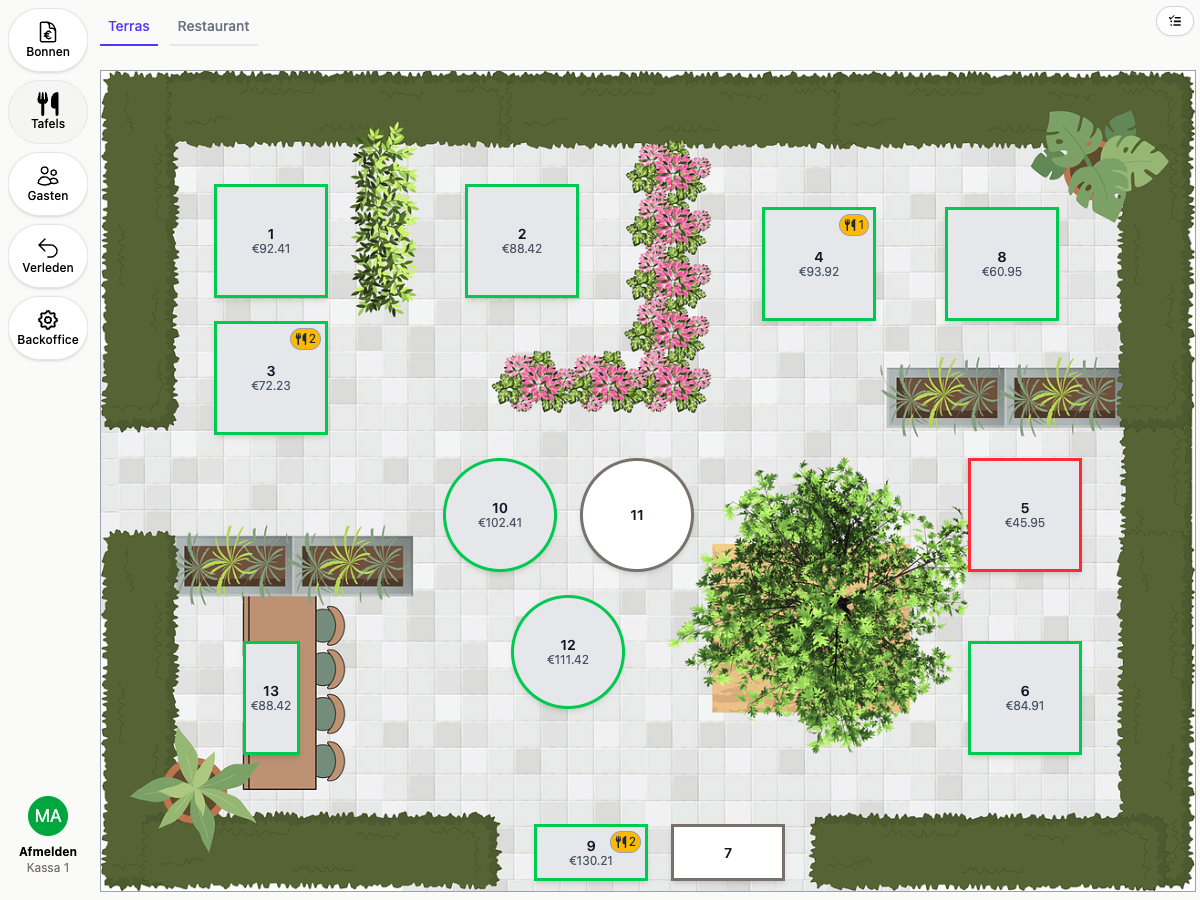
20Tabs table map
Demo
Demo
Ease of use

An order is on the bill in seconds

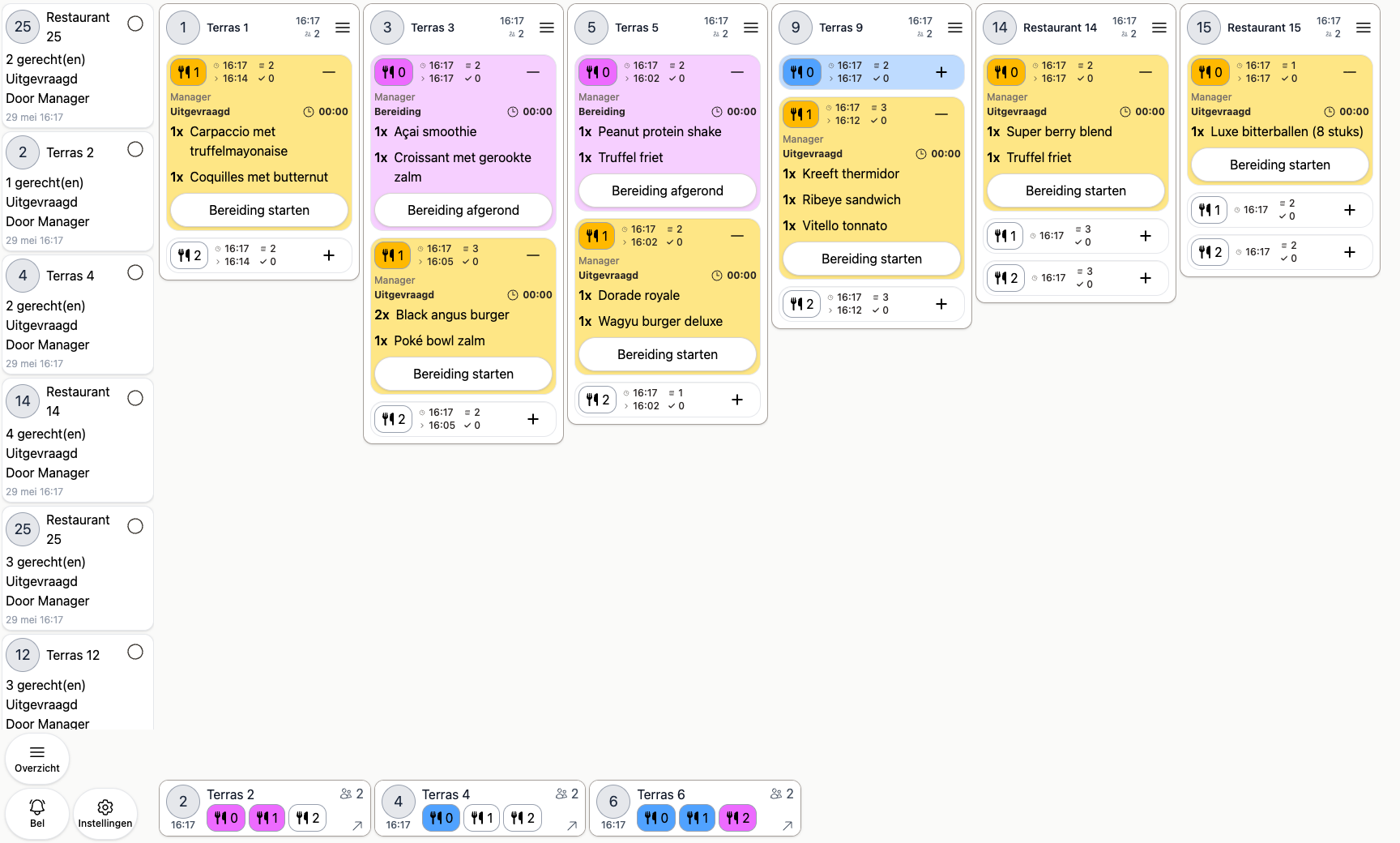
On a full Saturday every second at the table counts. Your staff tap the order in, split the courses as they take it, and move on to the next table. The kitchen already has it.

Products where you expect them

You lay out your own menu across quickselect pages, so a dish sits where your team looks for it. Large menu? Find a dish by search or barcode instead. Working with sizes, sauces or sides? Set those up as option groups.

Courses split as you take the order

Starter, main and dessert go on the bill in one pass. The kitchen gets each course at the right moment, so nobody has to go back and request one later.

New staff work their first shift

Anyone who can use a phone can use 20Tabs. No course, no manual propped next to the till, not even for a stand-in on a busy night.

20Tabs keeps track of all orders flowing through the kitchen
Demo

Why restaurants choose 20Tabs

Always in sync, everywhere, in real time

What happens in the kitchen shows up straight away at the bar, in the office and on every other screen. An order, a change, a payment: all of it updates everywhere at once. No stale lists, no crossed wires between floor and kitchen, everyone working from the same current information.

Tables and menu are yours to manage in a few taps

Add tables, lay out your venue and change your menu whenever you like, straight from behind the bar. A new dish, a different price or an extra section on the terrace: you handle it yourself in seconds and it is live on every device.

Runs on the devices you already have, payments included

Take orders on an iPhone, iPad or tablet and take payment on the same device. No expensive terminals, no fixed hardware: POS software that runs on devices you probably already own. Still want proper POS hardware? We will quote for it. Take a look at our hardware.

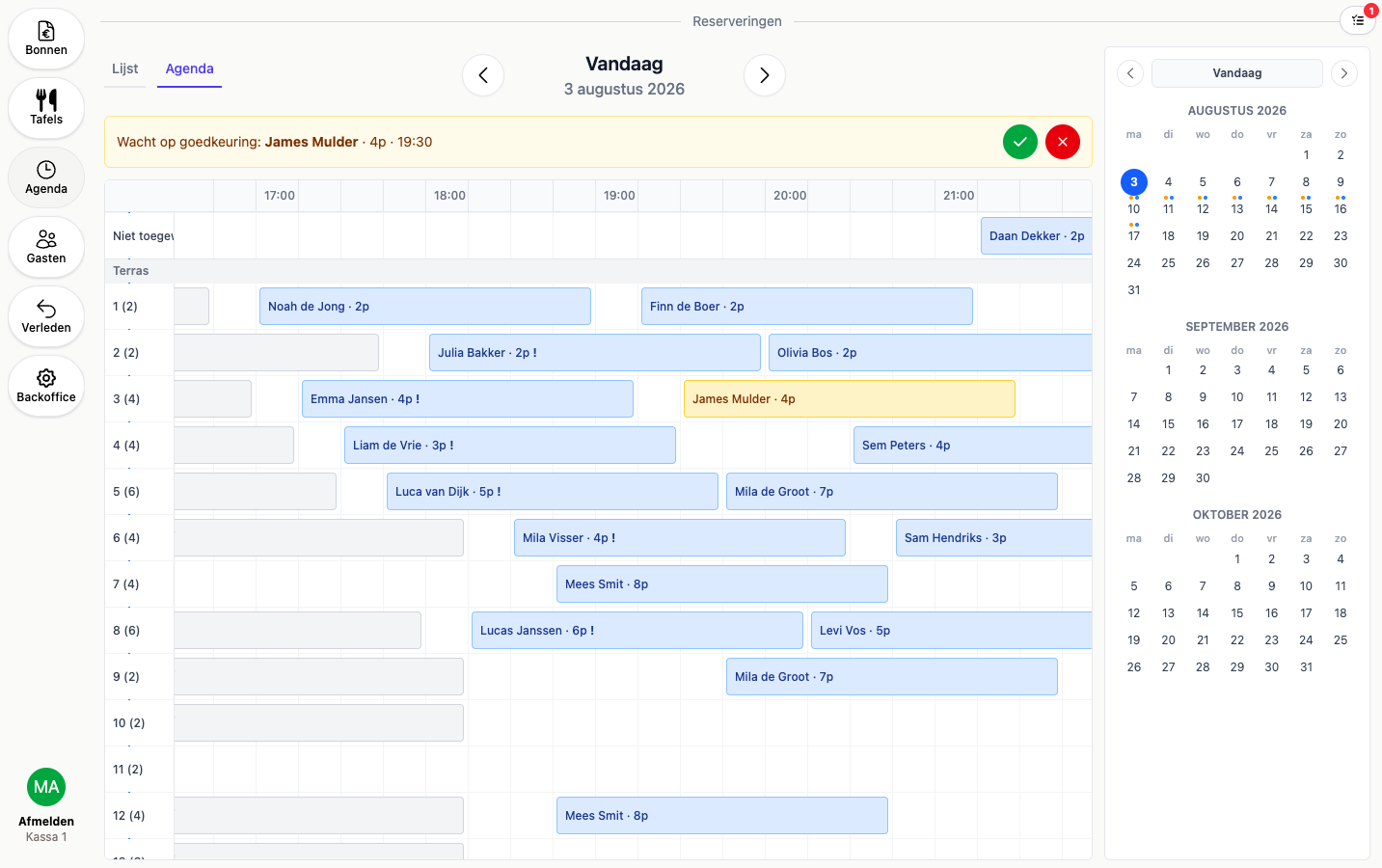
The reservation board showing tonight's bookings per table
Demo
Reservations

Your whole evening at a glance

Reservations live in the same app as your till. You see who is coming and when, table by table, and your floor staff pick it up on the table map without looking anywhere else.

A timeline per table

See which bookings sit on each table and where you still have room

Bookings from your own website

Put the widget on your own site, with smart time slots and automatic confirmation

Shown on your table map

Reserved tables get a marker with the arrival time on it

More about reservations
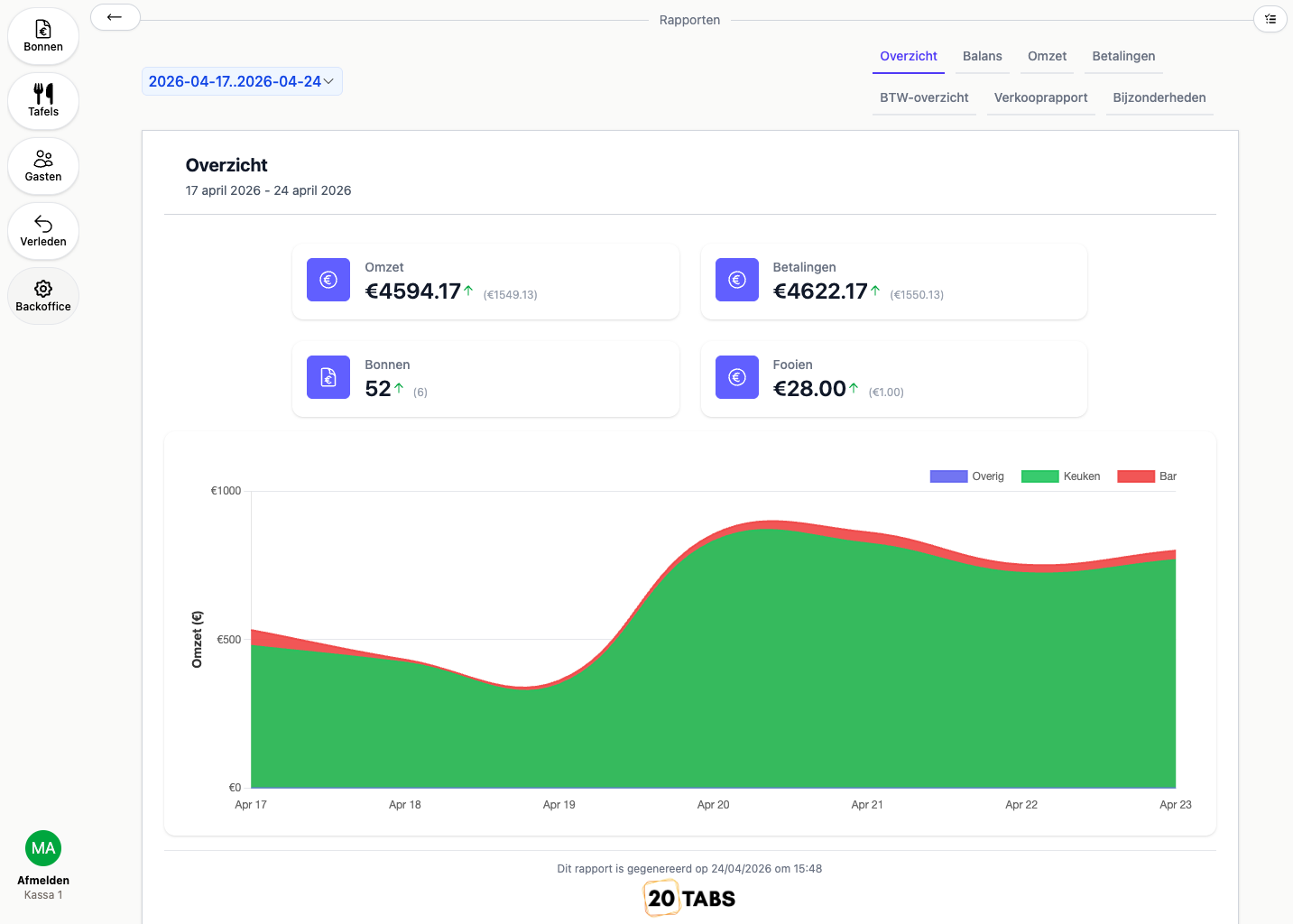
The revenue overview with figures per day
Demo

What makes a restaurant POS system genuinely good?

A restaurant runs on speed and overview. The gap between "order taken" and "order on the kitchen screen" is where it leaks. On many systems your floor staff key the order in, but the kitchen, the bar and the next screen all run just behind. With 20Tabs every screen shows exactly the same thing at the same moment: your server's handheld, the kitchen screen, the bar and your office. No refreshing, no "let it sync", no table that is already paid on one screen and still open on another. That is what keeps a busy night calm.

Table management and course management are what set this apart from general POS software. You see in real time which guest is sitting where and which course still has to go out, and you drive the kitchen with a single tap. Nobody has to remember which table is ready for mains. Every screen already knows.

And a good POS lets you steer on numbers instead of on gut feel. Which dish carries the highest margin, which table performs best, which shift runs smoothly: those are the questions your reports answer. With 20Tabs that is in every subscription.

Frequently asked questions about a POS system for restaurants

What makes a good POS system for a restaurant?

A good restaurant POS brings table management, course management, kitchen displays and paying at the table together in one whole. The crucial part: every screen stays in sync in real time, so the floor, the kitchen and the bar see exactly the same thing at the same moment. Beyond that it has to be fast on the floor, run on devices your staff find intuitive, and give you insight into your tables and revenue.

What does a POS system for a restaurant cost?

20Tabs costs between €100 and €500 a month for a complete restaurant till, based on your revenue. No setup fees, no charge per terminal or card integration, cancel monthly. Complete POS software for your restaurant with no hidden costs. You can start from €25 a month with 20Tabs Go (plus 2% of revenue).

Does 20Tabs work as an iPad till for my restaurant?

Yes. 20Tabs runs as an iPad till, and just as well on iPhone, Android tablet or laptop. You do not need to buy separate POS hardware. Still want professional POS hardware? We supply that too.

Further reading

See how table management, kitchen & bar and integrations work. Also running a hotel or a bar? Then look at the hotel POS, the POS for cafes & bars or the lunchroom till.

Ready to get started?

are a great day to get started with 20Tabs

Every feature is unlocked from day one. No contracts to sign, no haggling, no sales calls. Just software that works and that you can set up yourself. Curious how quickly we reply? Hit the chat button in the corner and see for yourself.

Try it free

Spin up a full account in minutes, with every feature unlocked.

Up and running in an hour

Process your first order within the hour. Our quick-start guide walks you through every step.

Try for free